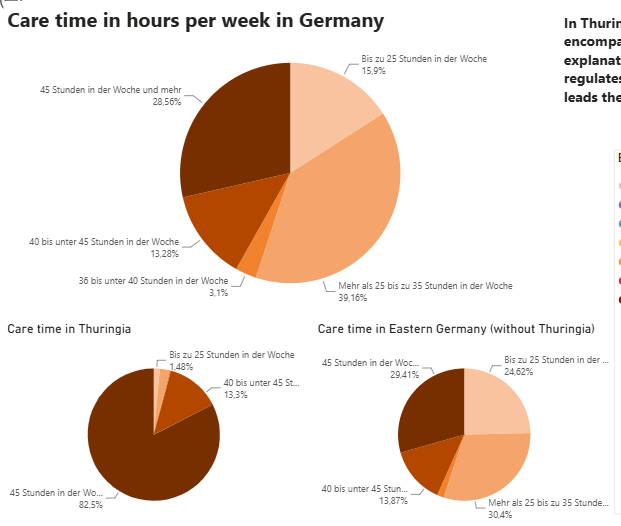
Exploring PowerBI
This project grew out of my goal to master Power BI — and Germany's childcare data turned out to be the perfect playground for learning. While exploring participation rates, educator ratios, and care hours, I discovered both the strengths and the quirks of Power BI that shaped my path toward the official certification.
The dataset
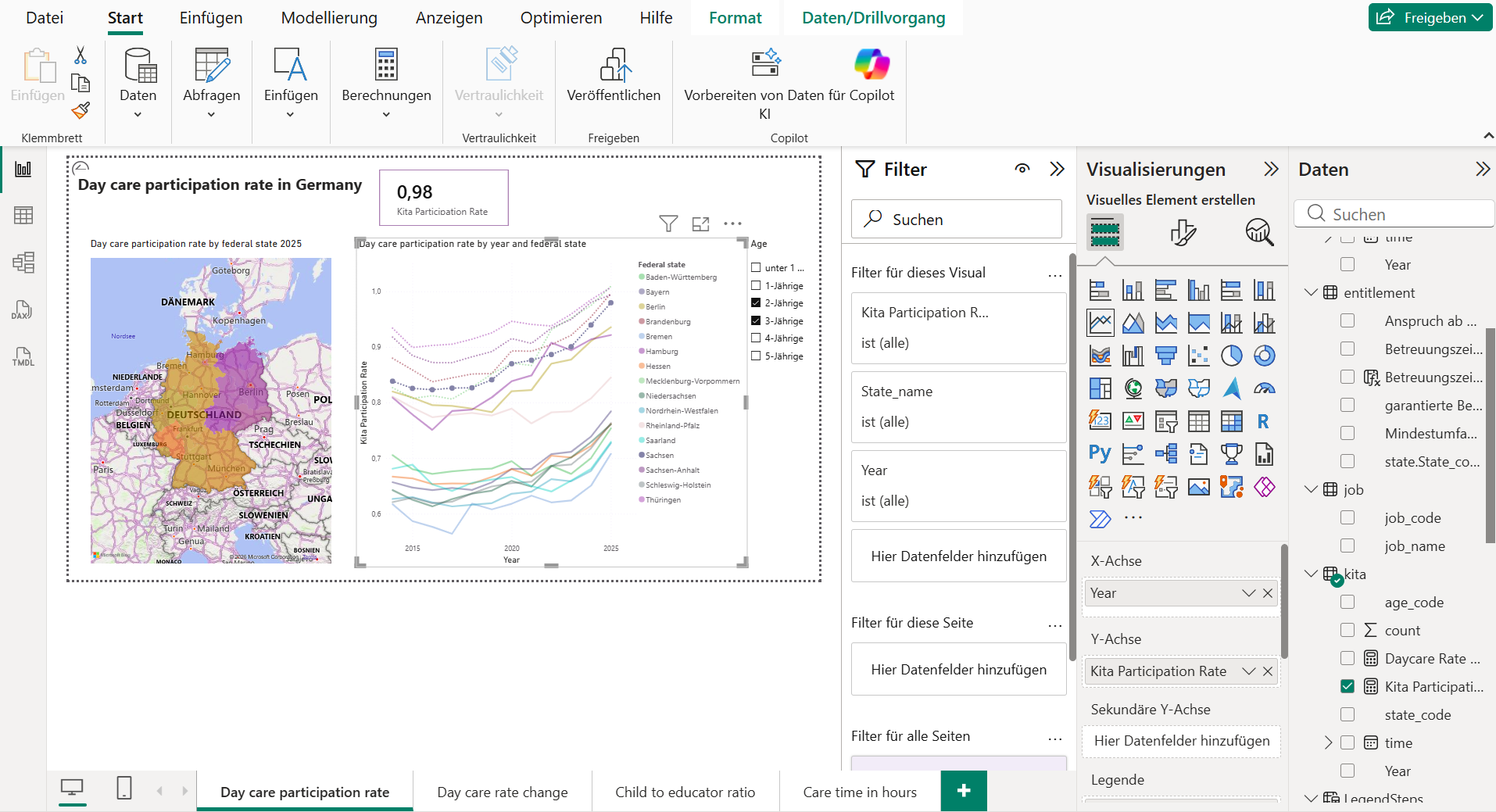
When I started preparing for the official Power BI exam, I wanted a dataset that was both meaningful and complex enough to challenge me. Germany's children day care statistics fit perfectly: participation rates, educator staffing, and weekly care hours vary strongly across states and over time, giving me plenty of opportunities to practice modeling, cleaning, and visual storytelling. It required to build combined measures and calculated columns to derive meaningful insights from the data.
Research & Analysis Stack
What I love about Power BI
Interactivity
Power BI's interactivity is one of the reasons I enjoy working with it. With just a few clicks you can create visuals that respond to user input, allowing for dynamic exploration of the data. This makes the analysis more engaging and insightful, because the report invites you to interact with it. You can link and unlink these interactions which gives you lots of flexibility.
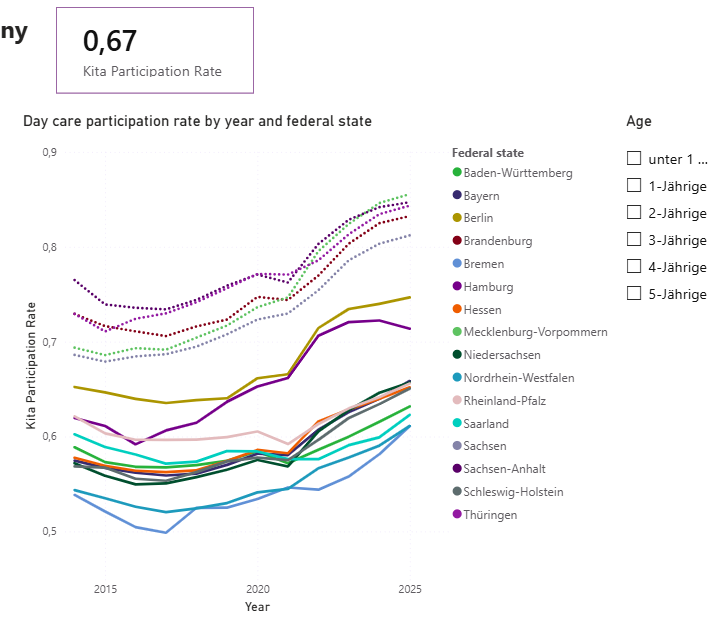
Starting with some simple visuals...
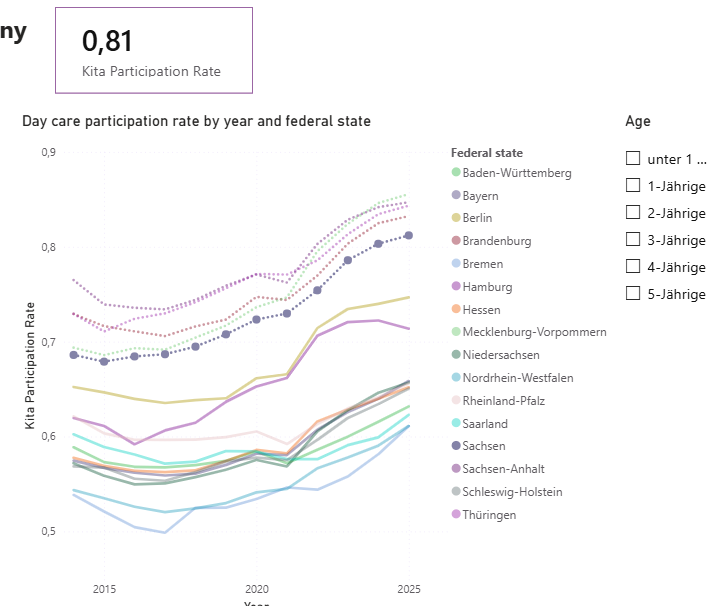
Clicking on a state name, highlights the corresponding data and updates the card visual with the current number for 2025.
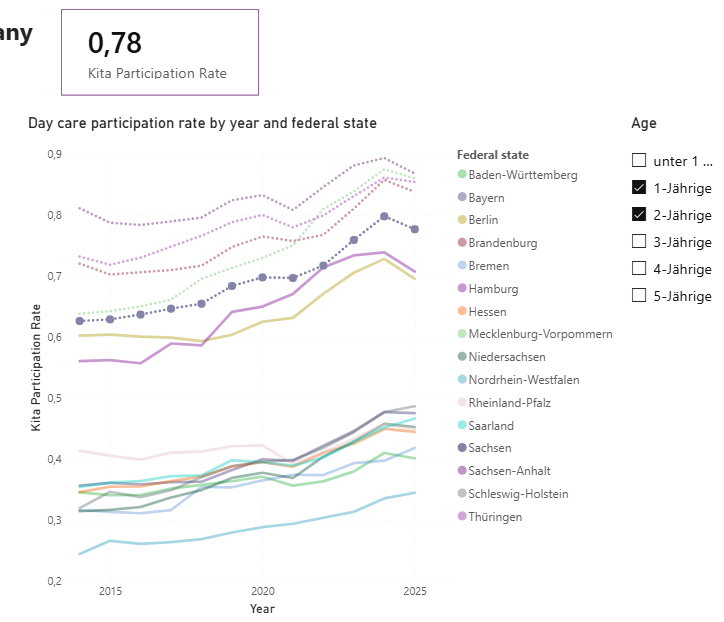
A filter lets you explore what happens to the data if only certain age groups are selected.
The Data Model
The model view is something I am sometimes missing in other software, as it is so convenient to see the relationships between tables visually. In Power BI, the model view allows you to see how your data is structured and how different tables relate to each other. This is especially useful when working with complex datasets, because it helps you understand the underlying logic and ensures that your analysis is accurate.
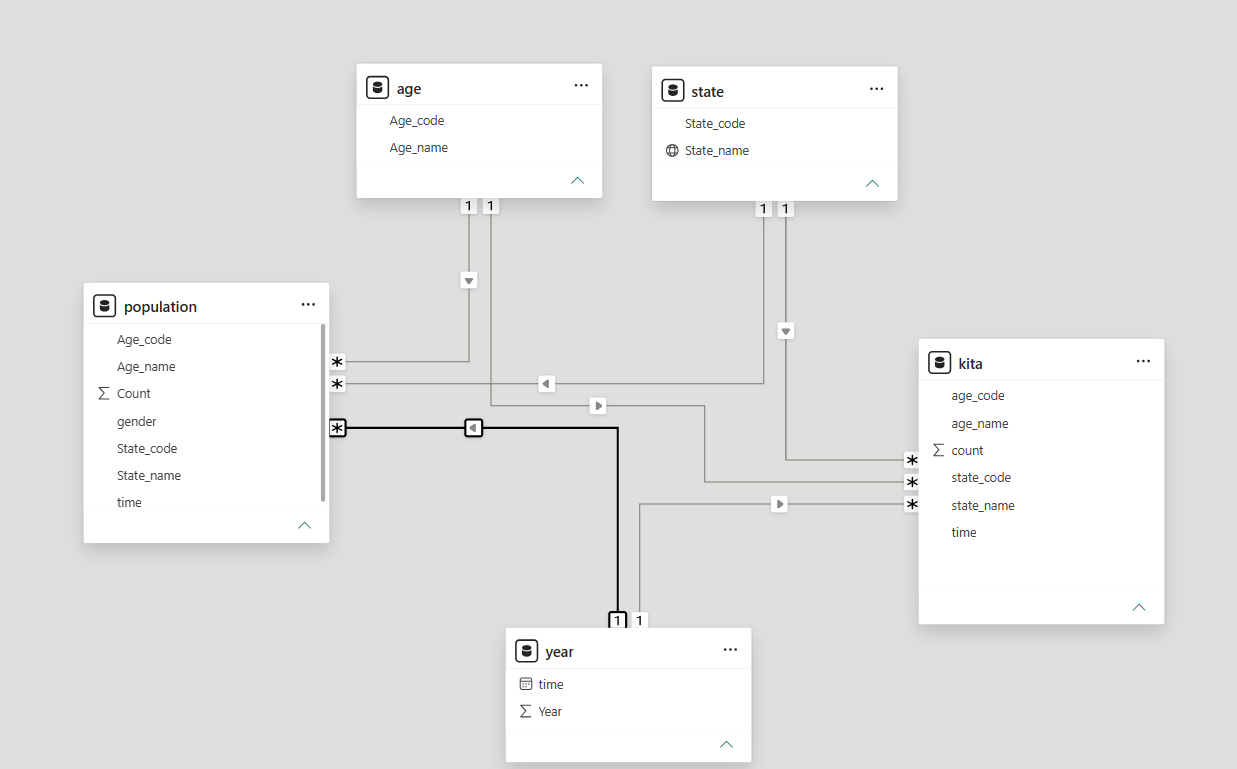
A clean overview of fact and dimension tables with clear relationships.
Geographical Data
Power BI's mapping capabilities are another feature I appreciate. Just by providing a location field, you can create maps that visualize your data geographically. When looking into different federal states of Germany, I used this extensively!
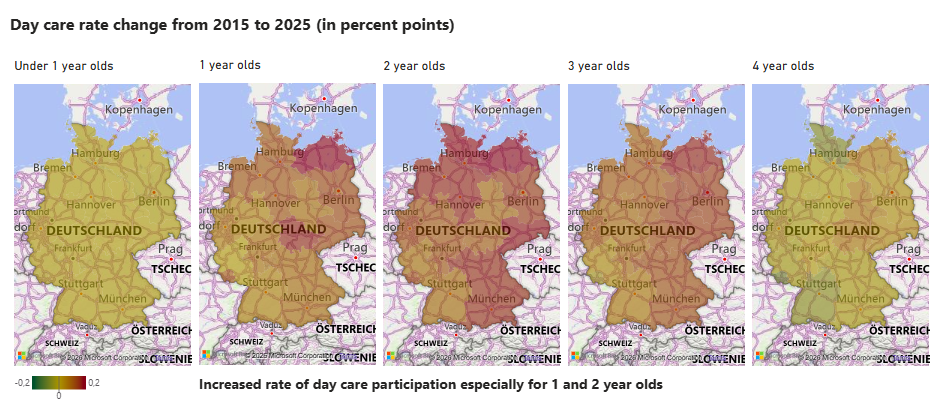
Visualizing data across different federal states of Germany becomes easy.
Other Features
There are other things I learned about while preparing for the exam, that I could not fully use yet in a real dataset, but that seem particularly intriguing.
- Scheduled refreshes: The idea that a report can quietly update itself every morning and always show the latest numbers feels incredibly useful, especially for long-term monitoring.
- Data-driven alerts: The fact that Power BI can notify you when a KPI crosses a threshold or when something unexpected happens is fascinating.
- Row-level security and user-specific views: Power BI allows you to build one report where different user groups see different slices of the same data.
What I find tricky in Power BI
Power BI is indeed powerful, but some parts feel more opaque than in Python. Aggregations are often hidden behind visuals: you don't immediately see whether something is summed, averaged, or grouped incorrectly unless you switch to a table view. In Python, you instantly notice when your DataFrame still contains all years; in Power BI, this can stay invisible until a number looks “off.”
Filters can also be risky. Page-level or report-level filters affect everything, but you or your audience might not remember them. It's easy to present filtered data without realizing that the filter is quietly shaping every visual.
Customization has limits too. Something simple like creating a custom legend for a map requires workarounds or helper tables, because Power BI doesn't let you freely design legends the way Python or Seaborn does.
And then there's DAX debugging: not always intuitive. Error messages can be cryptic, context changes depending on the visual, and a measure might behave differently depending on filters you didn't even notice.
Power BI is designed for business users, so some of its “hidden magic” is intentional. With my academic background, I'm used to seeing every detail, but adapting to Power BI's way of thinking has actually broadened how I approach data.